QuillBot on the free plan: what runs and what stops at the wall

A paraphraser, a grammar checker, and an AI detector in one place. Here is the walkthrough, what each tool does, and the exact point where the free plan runs out.
WHAT RUNS FOR FREE The grammar checker, the AI detector, and short paraphrases all work without paying, and the toolkit is visible from the start. | WHAT STOPS AT THE WALL Longer paraphrases, the extra modes, and the plagiarism checker need Premium, and the 125-word cap bites much sooner than you expect. |
What QuillBot is in 2026
QuillBot started as a paraphrasing tool. It is now a small writing suite that bundles rewriting, grammar checking, summarizing, citations, translation, and an AI detector into one workspace.
The pull is that everything sits in one place, so you can rewrite a paragraph, check the grammar, and cite a source without switching tabs. A free account opens all of it at a basic level.
The catch, as this walkthrough shows, is that the free limits are tight in some tools and generous in others. You can learn a lot about the product just by watching where the walls appear. The official home is quillbot.com.
How I approached it
I opened QuillBot in the browser, first as a guest and then with a free account. I pasted the same short paragraph into the paraphraser and the grammar checker, then fed an AI written passage to the detector.
Every screenshot below is from that session. In two of them I have hidden my account name and shown the price in US dollars rather than the local currency.
Step 1: The landing page
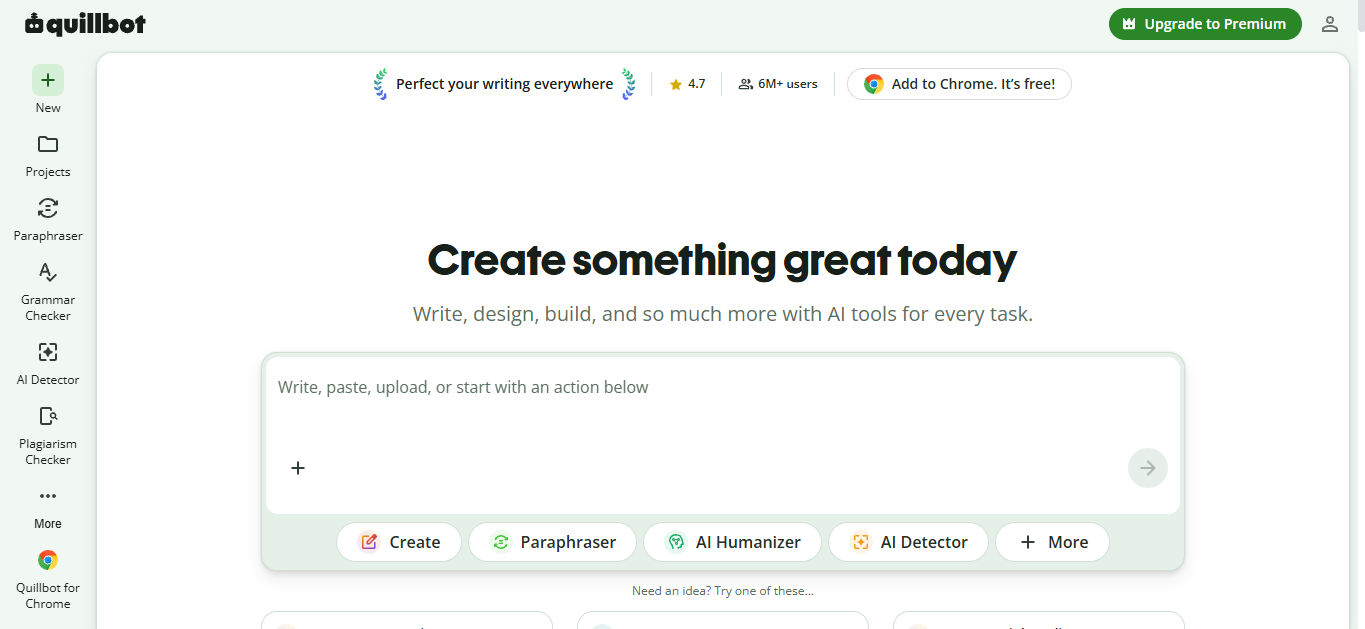
The home screen loads without an account. A left rail lists New, Projects, Paraphraser, Grammar Checker, AI Detector, Plagiarism Checker, and a More menu, with a QuillBot for Chrome link at the bottom.
The centre is a single input box under the line “Create something great today,” with quick actions for Create, Paraphraser, AI Humanizer, and AI Detector. A badge up top shows a 4.7 rating and six million plus users.
Step 2: A login wall appears
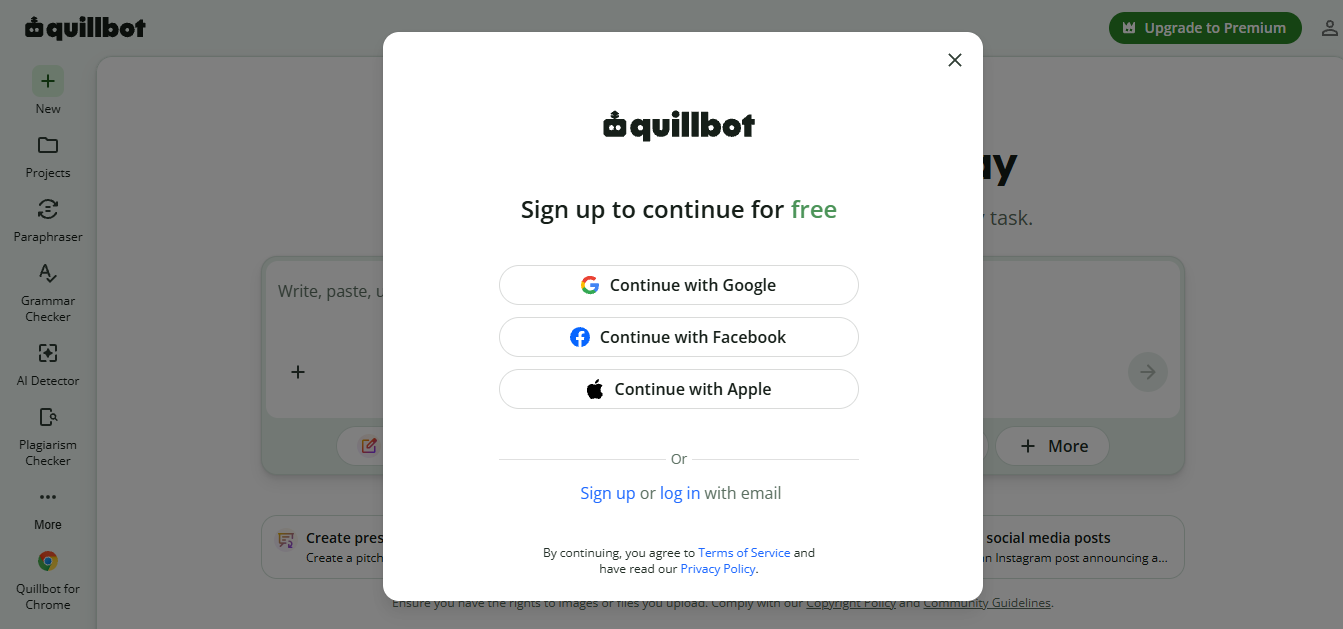
I tried to upload a file to work on. Before anything happened, a sign-up sheet slid over the page, offering Google, Facebook, Apple, or an email address.
The header still reads “continue for free,” so no card is asked for. It is a soft gate, but it is a gate. You can look around freely, yet the moment you bring your own text or files, an account is required.
Step 3: Straight to the Premium pitch
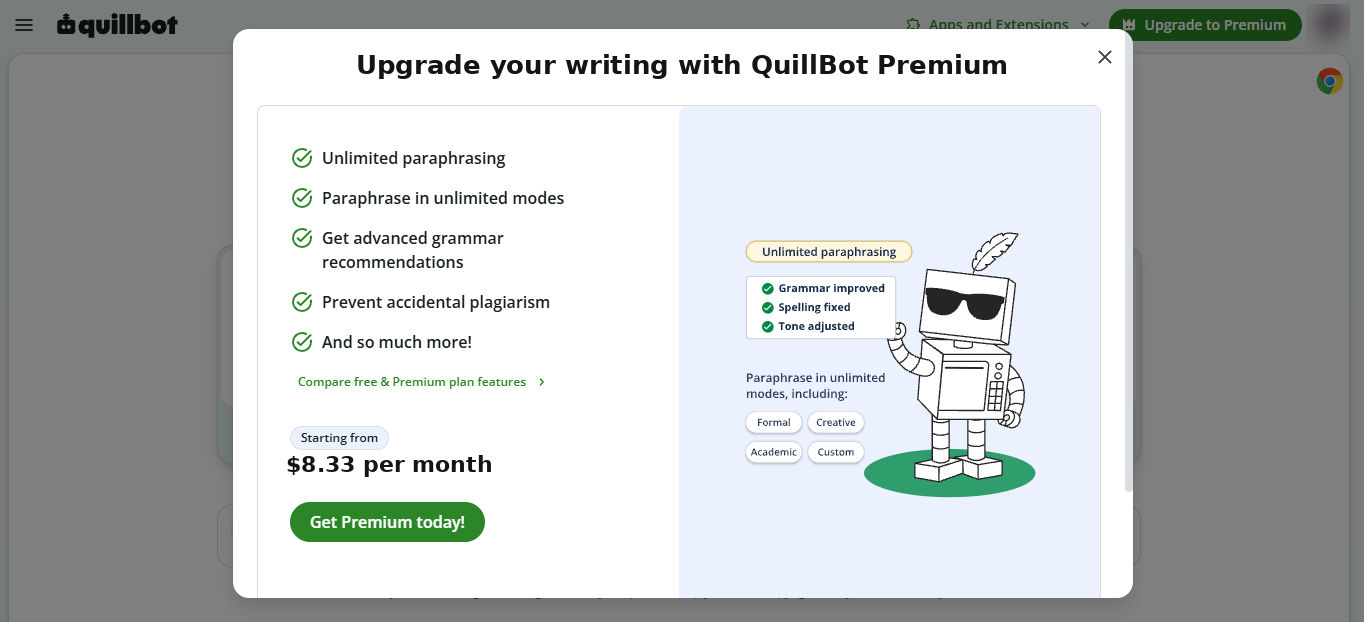
The moment I signed in, the first thing on screen was not the editor. It was a Premium pitch listing unlimited paraphrasing, unlimited modes, advanced grammar, and plagiarism prevention.
At the bottom sits the price, shown here as starting from $8.33 per month. The paid plan is front and centre from second one, before you have written a word.
Step 4: The paraphraser and its word cap
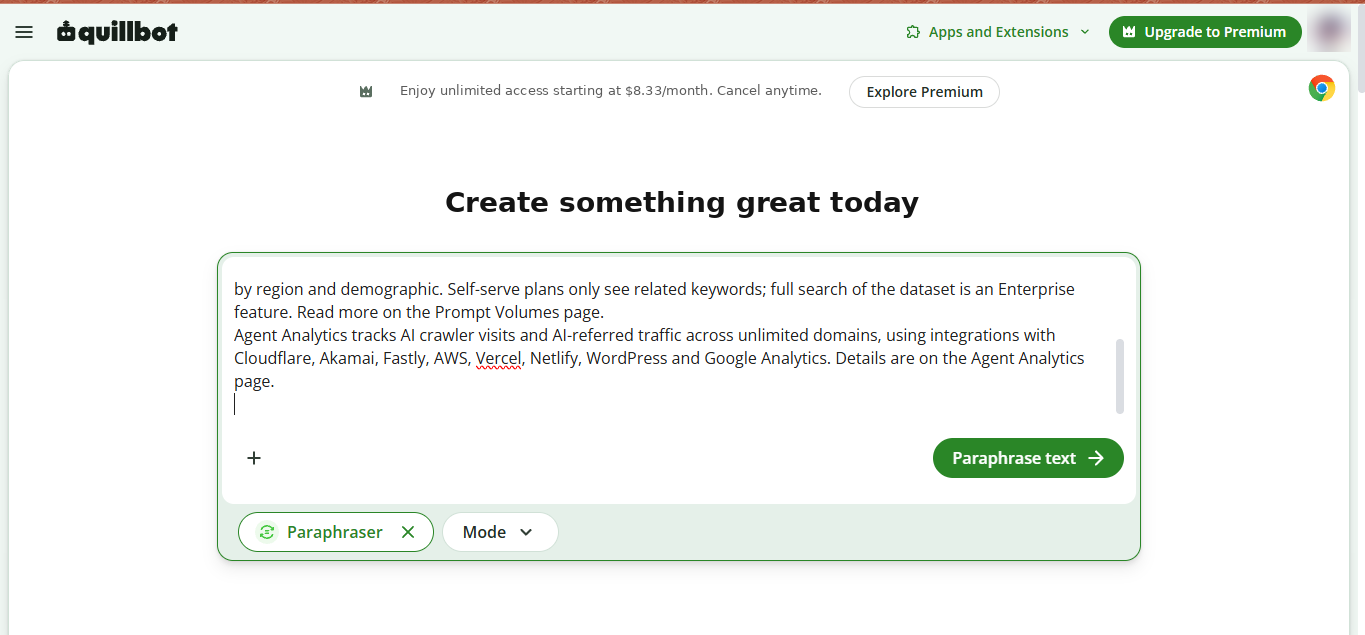
I opened the Paraphraser and pasted a 135-word paragraph from a web page. The input accepted it, with Standard, Fluency, Humanize, and Formal modes across the top and a Paraphrase text button ready to go.
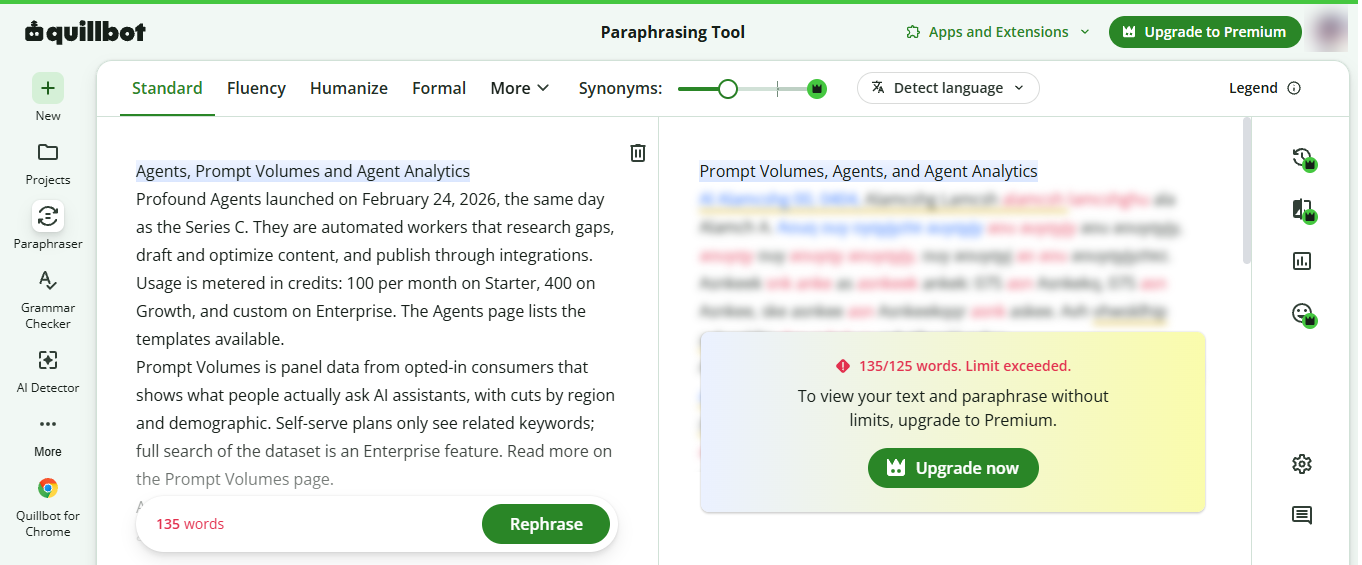
Running it is where the wall showed up. My original text stayed on the left, but the rewritten output on the right was blurred behind a message: 135 of 125 words, limit exceeded, upgrade to Premium.
The finding: the free paraphraser caps each run at 125 words. Ten words over the line and the result is hidden, with only Standard and Fluency modes open to begin with.
Step 5: The grammar checker is more generous
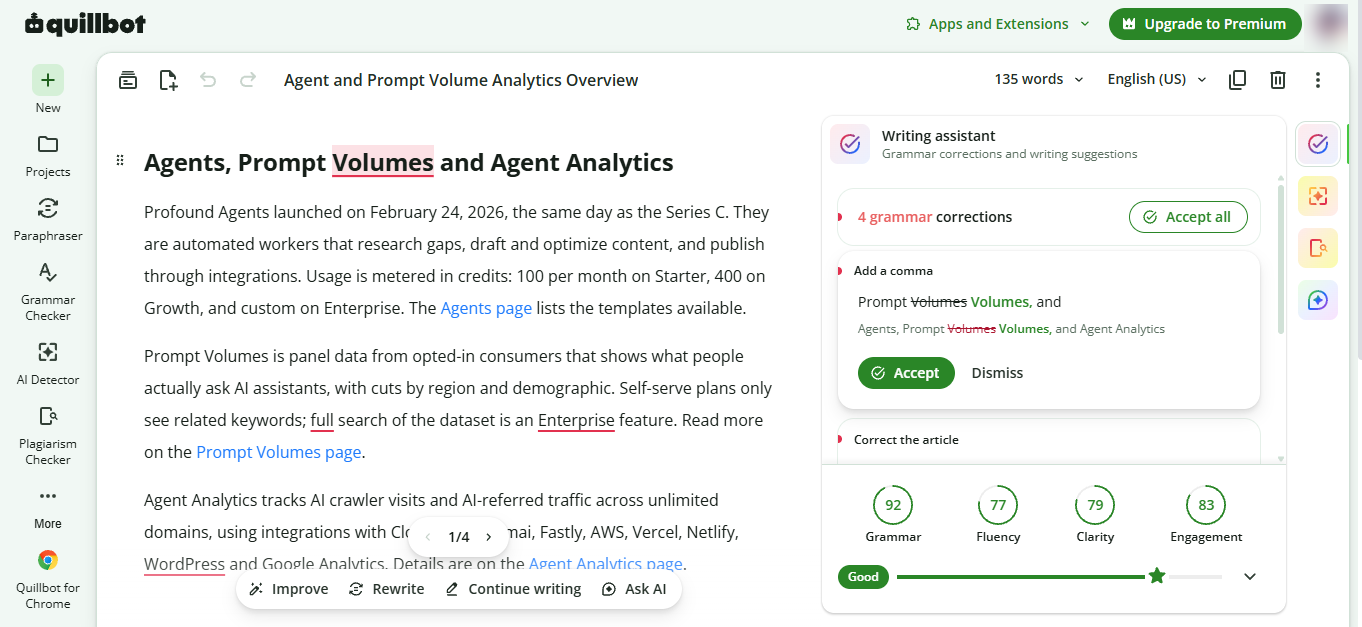
I moved the same paragraph into the Grammar Checker, expecting another wall. Instead it simply worked.
It flagged four grammar corrections with an Accept all option, showed inline fixes such as adding a comma, and scored the writing: Grammar 92, Fluency 77, Clarity 79, and Engagement 83, rated Good overall.
This is the clearest contrast in the whole session. The paraphraser is tightly capped on free, while the grammar side is genuinely usable for everyday editing.
Step 6: The AI detector’s verdict
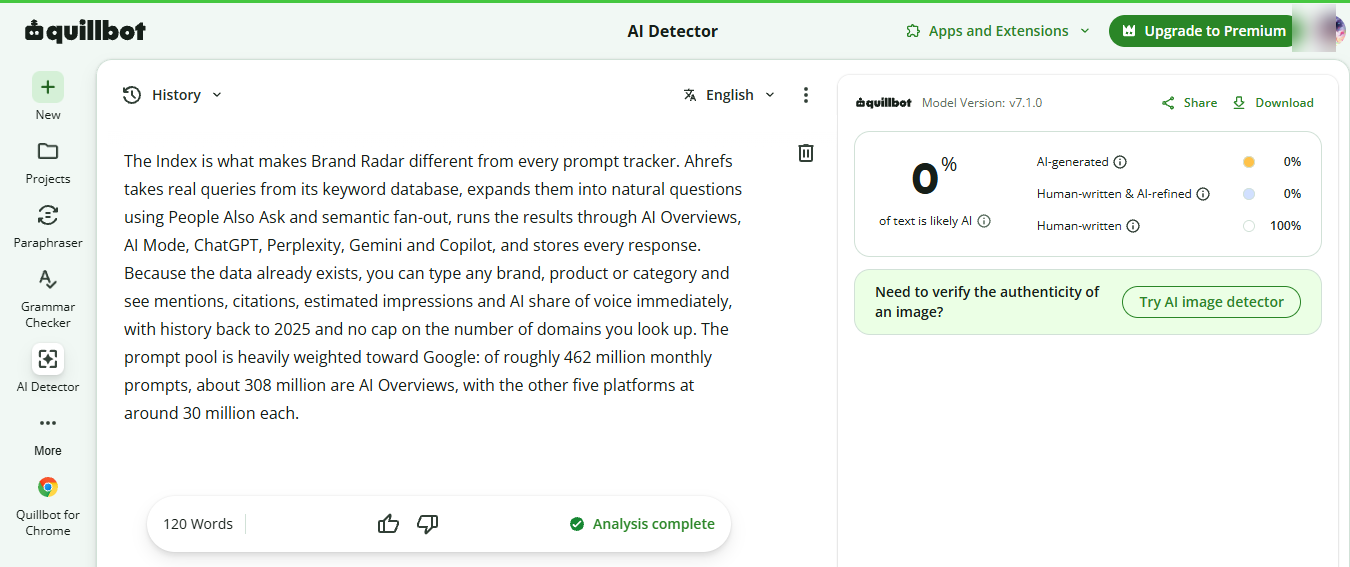
For the AI Detector I pasted a passage written entirely by an AI model. The verdict came back at 0 percent likely AI and 100 percent human written, on model version 7.1.0.
In other words, it missed. That is worth flagging, and not because QuillBot is unusually weak here. AI detectors as a class are unreliable, and even the tools that sell the check say the score is not proof.
The practical lesson is to treat any detector result with caution, including a clean one. A 100 percent human score is not a guarantee, in either direction.
Every tool in the suite, explained
Here is a plain description of the main tools, with a note on how each behaves on the free plan.
| Tool | On free plan | What it does |
|---|---|---|
| Paraphraser | Free, capped | Rewrites text in different styles and tones. Free covers the Standard and Fluency modes with a 125-word limit per run. |
| Grammar Checker | Free | Catches grammar, spelling, and punctuation, suggests fixes, and scores your writing. Works fully on the free plan. |
| Summarizer | Free, capped | Condenses long text into a short summary or key points. Free handles up to about 1,200 words at a time. |
| AI Detector | Free | Estimates how much of a passage looks AI generated. Free to use, though accuracy is limited, as this walkthrough showed. |
| Plagiarism Checker | Premium | Compares your text against web and academic sources for originality. Not available on the free plan at all. |
| Citation Generator | Free | Builds formatted citations in APA, MLA, Chicago, and more from a source you paste or link. |
| Translator | Free | Translates text across many languages, with the option to refine the output for tone and clarity. |
| AI Humanizer | Limited free | Rewrites AI sounding text to read more naturally. Free gives a taste, fuller use sits behind Premium. |
| Co-Writer and AI Chat | Limited free | A generative surface and chat for drafting, ideas, and quick edits. Free access is limited by usage. |
The pattern is clear. Checking and reading tools are open on free, while the generative and originality tools are where Premium earns its keep.
Free vs Premium: what is actually locked
The split below is drawn from this walkthrough plus QuillBot’s published plan details. Full current pricing is on the QuillBot pricing page.
| Feature | Free | Premium |
|---|---|---|
| Price | $0 | $19.95 per month, or $8.33 per month billed yearly ($99.95) |
| Paraphrase length per run | Up to 125 words | Unlimited |
| Paraphrasing modes | Two, Standard and Fluency | All modes, including Creative, Formal, Academic, Expand, Shorten, Simple, Custom |
| Synonym control | Basic slider | Full range |
| Grammar checker | Yes | Yes, with advanced suggestions |
| Summarizer limit | Up to about 1,200 words | Higher limits |
| AI Detector | Yes | Yes |
| Plagiarism checker | No | Yes, limited pages per month |
| AI Humanizer | Limited | Full |
| Co-Writer and AI Chat | Limited | Expanded |
| Citation generator | Yes | Yes |
| Translator | Yes | Yes |
| Processing speed | Standard queue | Faster processing |
| Money-back window | Not applicable | Three-day guarantee |
| Team billing and seats | No | Team plan, from about $7.50 per user |
Prices and limits change, so confirm on QuillBot’s pricing page before you buy.
What real users think
Sentiment is warm on the core tools and cooler on price. The figures below were captured in 2026 and move over time.
| Platform | Rating | Reviews | What stands out |
|---|---|---|---|
| Trustpilot | 4.8 / 5 | About 6,800 | Users love the paraphraser and how easy it is to pick up |
| Capterra | 4.5 / 5 | About 155 | Strong for paraphrasing and summarizing, with the odd off rewrite |
| G2 | 4.4 / 5 | About 70 | Easy and time-saving, though the paid plan is felt to be pricey |
| TrustRadius | 8.7 / 10 | Small sample | Positive on paraphrase quality and simplicity |
| In-app badge | 4.7 / 5 | 6M plus users | QuillBot’s own rating shown across the site |
Alternatives worth a look
QuillBot is strong at rewriting, but it is not the only option, and it is not the cheapest for every job. A few tools cover specific needs at a lower price. Figures are approximate and shift, so check each vendor before buying.
| Tool | Best for | Starts at | Free tier |
|---|---|---|---|
| Grammarly | All-round grammar, tone, and a broad AI suite | About $12 a month yearly | Yes, capable |
| Wordtune | Sentence rewriting and quick tone shifts | About $6.99 a month | Yes, limited |
| ProWritingAid | Long-form and fiction, with deep style reports | About $10 a month yearly, lifetime option | Yes, with a cap |
| LanguageTool | Multilingual checking across 30 plus languages | About $4.99 a month multi-year | Yes |
| DeepL Write | Natural phrasing and rewriting, translation friendly | Free tier, paid via DeepL Pro | Yes |
The short rule: Grammarly for all-round polish, Wordtune for fast rewrites, ProWritingAid for long-form craft, LanguageTool for other languages, and DeepL Write for the most natural phrasing.
Verdict: is the free plan enough
The free plan splits neatly in two. The grammar checker, the summarizer, the citation generator, and the detector are open and useful, which makes QuillBot a real free grammar and reading tool, not just a demo.
The paraphraser is the pinch. A 125-word cap and only two modes mean anything longer than a short paragraph has to be chopped up, and the blurred output makes the limit hard to ignore.
If rewriting is your main job and you do it often, Premium at about $8.33 a month on the yearly plan is the fair ask, mostly for unlimited paraphrasing, the extra modes, and the plagiarism checker. If you mainly want to check and tidy short pieces, the free plan already carries you. And whatever you do, do not lean on the AI detector as proof of anything.
Discussion 0
More posts

ChatGPT vs Claude for writing: which one writes better like you?
The two most popular AI writing assistants, compared on what writers actually feel: how the prose sounds, how well each...
Why AI Is Changing the Editing Process More Than the Writing Process
AI can fill a blank page in seconds. It cannot tell you whether the page is true, useful, or yours. That job is editing,...
Can AI Detectors Be Trusted?
What these tools actually measure, where they break, and how much weight their verdicts really deserve.
Please log in or create an account to join the discussion.