ChatGPT or Claude for Writing? A Practical Comparison for 2026


Both assistants can draft a blog post in seconds. The real question is which one leaves you with less editing, holds your voice across a whole project, and fits the way you already work. This guide compares them feature by feature and shows you how to run your own test in under an hour.
The short answer Claude tends to produce prose that needs less editing, handles long documents with more care, and holds a consistent voice across a project. ChatGPT offers a wider toolkit: inline editing in Canvas, image generation, voice mode, and personality presets that change tone in one click. If you write long-form content for a living, start with Claude. If you produce a high volume of short, mixed-media content, start with ChatGPT. Published reviews and verified G2 ratings, covered in section five, point the same way. If you are not sure, run the six-step test in this guide on your own briefs before you pay for anything. |
Why this comparison matters for writers
Most comparisons of ChatGPT and Claude focus on benchmarks, coding, or agent features. Writers care about something simpler: how much of the draft survives the first edit.
Both tools have converged on the same feature list. Each has projects, memory, custom instructions, web research, and a side panel for editing drafts. On paper they look interchangeable.
In practice they differ in three places that matter for writing. The first is default voice, meaning how the tool writes when you give it a loose brief. The second is the editing workflow, meaning how you revise a draft without starting over. The third is how well each tool holds context across a long document or a multi-week project.
This guide walks through those differences with specific features, a task-by-task scorecard, a repeatable test, and a worked case study. Everything here reflects the products as they stand in September 2026. Both companies ship changes monthly, so treat the tables as a snapshot and the testing method as the durable part.
A quick brief on each tool
Before comparing them, here is what each assistant is and which features matter most for writing work.
ChatGPT by OpenAIWhat it isChatGPT is OpenAI's general-purpose assistant, built on the GPT-5.6 model family. Paid plans run the flagship model, GPT-5.6 Sol, with a slider that controls how long it thinks before answering. Free and Go plans use the lighter GPT-5.6 Luna model by default. Why it matters for writingChatGPT's strength is breadth. Canvas opens a side-by-side editor where you highlight a sentence and ask for a change. Personality presets (Default, Friendly, Efficient, Professional, Candid, and Quirky) shift tone without rewriting your instructions. Memory carries your preferences between chats, and Projects keep files, instructions, and conversations together for ongoing work. How to set it up for writingOpen Settings, choose Personalization, and fill in custom instructions with your audience, tone, and banned phrases. Then create a Project for each client or publication and upload your style guide. OpenAI documents both features in its custom instructions guide and its Projects guide. The model release notes track which model each plan receives. |
Claude by AnthropicWhat it isClaude is Anthropic's assistant. The current lineup is Claude Fable 5.1 at the top, with Opus 5, Sonnet 5, and Haiku 4.5 below it. Anthropic describes Fable 5.1 as its most capable generally available model on its Fable and Mythos overview page. Why it matters for writingClaude's strength is prose and context. Its default output leans on paragraphs rather than bullet lists, which means less reformatting for long-form work. The Styles feature lets you upload samples of your own writing and generates a reusable style profile from them. Projects hold a knowledge base and project-level instructions, and Artifacts keep a draft in a side panel as a document you can revise through conversation. How to set it up for writingClick the style picker in the chat composer, choose Create and edit styles, and upload three to five pieces you have published. Edit the generated description until it reads the way you want. Then create a Project, add your style guide and past work to its knowledge base, and write project instructions for the audience. Anthropic explains the layers in its personalization features guide and its Projects overview. |
Both assistants now ship projects, memory, and editing panels. The differences show up in default voice and workflow.
ChatGPT vs Claude: key differences for writing
The table below compares the two tools across the areas that change a writer's day. Where a feature exists in both, the row explains how the implementation differs.
| Area | ChatGPT | Claude |
|---|---|---|
| Default prose voice | Energetic and structured. Reaches for headers, bold phrases, and bullet lists unless told otherwise. | Restrained and conversational. Defaults to paragraphs and uses lists only when the content calls for them. |
| Editing surface | Canvas, a side-by-side editor. Highlight any passage and ask for a change, or type edits directly. | Artifacts, a side panel that holds the draft as a document with versions you can revisit as you revise through chat. |
| Voice control | Custom instructions plus six personality presets and controls for warmth, conciseness, and emoji use. | Five preset styles plus custom styles generated from uploaded writing samples, switchable per chat from the composer. |
| Persistent context | Projects with files, instructions, and shareable chats. Memory recalls preferences across conversations. | Projects with a knowledge base and project instructions. Memory plus search across past chats. |
| Long documents | Large context window on paid tiers. Output quality can drift when many files and memories share the window. | Strong at reading long uploads and keeping the structure of a full report or manuscript intact across revisions. |
| Research while drafting | Web search in every chat. Deep Research compiles long, sourced reports on paid plans. | Web search in every chat. Research mode compiles a sourced report. Citations attach to specific claims. |
| Working inside documents | ChatGPT Work creates editable Word, Excel, and PowerPoint files from instructions or source material. | Claude in Word, Excel, and PowerPoint edits the file you have open. Cowork handles multi-file desktop tasks. |
| Images and voice | Built-in image generation and a full voice mode for spoken drafting. | No image generation. Voice conversations on mobile. |
| Free tier | GPT-5.6 Luna with unlimited text chats. Ads may appear on Free and Go plans in some regions. | Free access with daily usage limits. Claude products are ad-free. |
| Model choice | One flagship model with a thinking-depth slider on Plus and Pro. Sol Pro for the heaviest reasoning. | Pick between Fable 5.1, Opus 5, Sonnet 5, and Haiku 4.5, with an extended thinking toggle. |
| Team collaboration | Shared Projects on every plan. Business plan adds workspaces and admin controls. | Team Projects on Team and Enterprise plans. Claude Tag lets anyone in Slack tag Claude into a thread. |
| Handling feedback | Fast at producing five variations of a line or a subject line in one reply. | Better at applying one precise editorial note across a whole draft without changing anything else. |
| Best fit | Fast iteration, mixed media, social content, and writers who want many tools in one place. | Long-form prose, editorial voice, document-heavy work, and writers who value fewer rewrites. |
Feature availability varies by plan and region. Check the official pricing pages linked in the pricing section for the current details on your plan.
Which tool wins for each type of writing
Neither tool wins everything. The scorecard below reflects the default behavior of each assistant and what writers commonly report after using both for the same work. Treat each row as a tendency you should confirm with your own test.
| Writing task | Leans toward | Why |
|---|---|---|
| Blog posts and articles | Claude | Fewer list-heavy sections by default and smoother transitions between paragraphs, so drafts read like articles rather than outlines. |
| Marketing emails and ad copy | ChatGPT | Quick at generating many short variants, and personality presets make it easy to swing between playful and formal. |
| Long reports and white papers | Claude | Keeps section structure and terminology consistent across a 5,000-word document and handles large source uploads well. |
| Social media posts | ChatGPT | Punchy by default, and image generation lets you draft the visual and the caption in the same chat. |
| Fiction and creative prose | Claude | More restraint with adjectives and a steadier narrative voice over long scenes. Many fiction writers prefer it, though tastes vary. |
| Rewriting and tightening | Tie | Canvas makes targeted line edits fast. Claude applies a global editing note more faithfully. Both do the job well. |
| Research-backed pieces | Tie | Deep Research and Claude's Research mode both produce sourced reports. Verify citations in either tool before publishing. |
| Scripts and multimedia content | ChatGPT | Voice mode helps you talk through a script, and image generation covers storyboard frames and thumbnails. |
| Technical documentation | Claude | Reads large codebases and specs accurately and writes explanations without inflating them. |
| Quick replies and personal emails | ChatGPT | Memory of your recurring contacts and preferences makes short, everyday messages fast to produce. |

Long-form prose is where the difference in default voice is easiest to feel.
What reviewers and real users say
The scorecard above is our reading of the tools. The reviews below come from published head-to-head tests and from verified user ratings on G2 and Trustpilot. Dates matter here, because both products change monthly, so each source is listed with when it was checked or published.
Published head-to-head reviews
These reviewers ran the same prompts through both tools and wrote up what they found. Their conclusions are paraphrased, and each row links to the original piece.
| Review | Finding on ChatGPT | Finding on Claude | Verdict for writers |
|---|---|---|---|
| Zapier, retested May 2026, reviewed June 2026 | The better all-round choice for people who want the full range of AI features, from image generation to browser-based agent tasks. | The better fit for focused coding and sophisticated creative work. | Suggests using Claude for in-depth writing projects and ChatGPT for quick searches, images, and web-native tasks. |
| Emergent, one-month test, September 2026 | Has the edge when you need volume and structure quickly, such as templated content or a batch of variations you plan to edit yourself. | The stronger writer for complete long-form pieces, with smoother transitions. Blog drafts read closer to a finished article. | ChatGPT's drafts read like a clean, well-organized first draft. Claude's needed less work to publish. |
| MindStudio, June 2026 | Fast and capable for anything under 500 words, and useful when you want options such as A/B ad copy. Memory helps writers with a consistent style. | Better for long-form writing, nuanced tone, and complex style instructions, with prose that hedges less. | Names Claude the best for writing, especially anything long or nuanced, and says the gap is not close. |
| The AI Career Lab, August 2026 | Wins on image generation, voice, custom GPTs, and the breadth of its ecosystem. | Wins on writing quality, instruction-following, long-document analysis, and agentic work. | Calls Claude the better writer and ChatGPT the better generalist. |
| ProofreaderPro, 25 academic tasks, August 2026 | The better pick for agentic and visual work: browsing, figures, custom GPTs, and tool-integrated tasks. | The better default for academic writing, multi-paper synthesis, and following instructions across long pieces. | Reports that most of its doctoral clients run Claude as primary and ChatGPT as secondary. |
| LLM Stats, July 2026 | The better default for most people because it bundles search, live voice, image generation, file analysis, and long-running agents. | A more focused product with a stronger core conversation, large project knowledge bases, and shareable Artifacts. | Says there is no universal winner and that anyone whose day is mostly text should start with Claude. |
| Tom's Guide, seven-prompt test, 2025 models | Won the tone-matching prompt, nailing a casual Gen Z rewrite with the right slang and rhythm. | Won the storytelling prompt for anchoring a sci-fi opening in specific, emotional detail. | An older test on earlier models, but the split it found still matches what writers report today: Claude for depth, ChatGPT for snappy tone shifts. |
Verified user ratings
G2 collects reviews from verified business users, many of them invited by G2. Trustpilot collects unsolicited consumer reviews and skews toward people who had a problem. Both views are useful as long as you know what each one measures.
| Rating source | ChatGPT | Claude |
|---|---|---|
| G2 average rating | 4.6 out of 5 from 2,984 reviews, checked September 4, 2026. | 4.6 out of 5 from 455 reviews, checked September 4, 2026. |
| Most-praised themes on G2 | Ease of use (781 reviews), quick and tailored responses (734), and time saved on content generation (274). | Ease of use (40 reviews), deep discussion and context handling (40), and content creation (22). |
| Most-cited complaints on G2 | Confident but inaccurate answers (352 reviews), weak context understanding (332), and a limited context window (284). | Usage limits (37 reviews), no image or visual features (19), and responses that are overly cautious or long-winded (17). |
| Trustpilot score | About 1.6 out of 5 from roughly 3,200 reviews. Trustpilot page. | About 1.5 out of 5 from roughly 1,900 reviews. Trustpilot page. |
| What drives the Trustpilot complaints | Subscription and cancellation problems, answers that were wrong or inconsistent, and free-tier limits, rather than writing quality. | Billing and support problems, plus frustration with how quickly Pro plan usage limits run out. |
What individual writers say on G2
The rows below paraphrase recent verified reviews from people who use each tool for writing. Names appear as G2 publishes them.
| ChatGPT reviewer | What they liked | What they disliked |
|---|---|---|
| Indra D., freelance marketer, August 2026 | Uses it daily for content research, drafting, and editing. Almost no learning curve, and the Go plan is affordable. | Responses run long no matter how firmly the prompt asks for brevity. Facts still need verifying. |
| Chanchal R., senior marketing executive, July 2026 | Remembers project context across weeks of work. Voice mode doubles as a way to rehearse presentations. | Confidently invents details about events after its training cutoff. Browsing is inconsistent. |
| Nichole H., program director, August 2026 | Makes her notes and emails sound professional and speeds up policy research. | Repeats the same point in different words and answers simple questions with long paragraphs. |
| Abhinav A., account director, August 2026 | Cleanest interface among its peers, with Projects and custom bots for recurring work. | The most agreeable assistant he has used. It rarely pushes back even when the conversation is heading the wrong way. |
| Claude reviewer | What they liked | What they disliked |
|---|---|---|
| Sonal G., infrastructure and delivery head, August 2026 | Turns long, messy documents into clear content. The writing feels natural and needs less editing for emails and documentation. | Hitting the usage limit in the middle of a long document. Wants a fuller desktop experience. |
| Udaya S., SEO specialist, June 2026 | Long-form articles read naturally without keyword stuffing. Briefing it on tone and audience means first drafts need minimal editing, cutting production time by at least half. | Nothing significant for an SEO workflow beyond the usual learning curve. |
| Faustus A., developer, August 2026 | No overly formal AI tone, so editing is for content rather than to make it sound human. The Artifacts panel keeps the good version of a draft in view. | Usage limits on heavy days force a wait or a switch to a lighter model. |
| Coralia R., operations supervisor, August 2026 | Natural, well-structured writing with a consistent tone, and strong at following detailed instructions across a long conversation. | Can be overly cautious and verbose, and occasionally misses a formatting instruction late in a long chat. |
Read together, the reviews line up with the scorecard. Claude is praised for prose that needs less editing and criticized for usage limits. ChatGPT is praised for speed, breadth, and ease of use and criticized for overconfident answers and a tendency to agree with whatever you suggest.

Reviewer verdicts and user ratings point the same way: Claude for prose quality, ChatGPT for breadth and speed.
How to test both on your own writing, step by step
A fair test takes about an hour and uses work you need to do anyway. Follow the six steps below in order. Each one removes a variable so the final comparison reflects the tools, not the setup.
| 1 | Choose three real writing tasks Pick one long piece, one short piece, and one rewrite. A typical set is a 1,000-word blog post, a 150-word promotional email, and a rough paragraph you want tightened. Real tasks matter because demo prompts hide the weaknesses that show up in your actual work. Choose tasks you can judge confidently. If you have never written a white paper, do not test white papers. You need to know what good looks like to score the results. | |
| 2 | Write one shared brief Both tools should receive identical instructions. Put the audience, purpose, tone, length, structure, and any banned phrases into a single brief. Save it as a text file so you can paste it unchanged into both.
The banned-phrase list is the most useful line in the brief. It tests whether the tool follows constraints, and it removes the filler that makes AI writing easy to spot. | |
| 3 | Set up your voice in each tool In ChatGPT, open Settings, then Personalization, and paste a short description of your voice into custom instructions. Choose the personality preset closest to your tone. In Claude, open the style picker in the composer, create a custom style, and upload three to five samples of your published writing. Give each tool the same three writing samples. ChatGPT accepts them as uploads inside a Project. Claude reads them when it generates the style. The goal is to hand both tools the same evidence of how you write. | |
| 4 | Run the same prompt in both, on equal plans Use the same subscription tier on each side, so a paid plan against a paid plan or free against free. Paste the brief, attach any source material, and send the identical prompt. Do not coach either tool during the first pass.
Save each first draft to a document with the tool name and the date. You will come back to these drafts after the revision round to measure how much changed. | |
| 5 | Do one revision round with the same editing note Write a single editorial note that applies to both drafts. Something like: "Cut the introduction to two sentences, replace the second example with one about a regional carrier, and remove any sentence that repeats an earlier point." Send the same note to each tool. In ChatGPT, use Canvas so you can see the changes in place. In Claude, ask for the revision inside the Artifact. Then check three things: did the tool make only the changes you asked for, did it preserve the parts you liked, and did it introduce new filler while editing. | |
| 6 | Score with a simple rubric and decide Rate each revised draft from 1 to 5 on four criteria: voice match, structure, factual accuracy, and edit effort. Edit effort is the number of minutes you would need to make the draft publishable. Add the scores, then compare the totals for each task type. Most writers find the totals split by task. One tool wins long pieces, the other wins short ones. That result is useful. It tells you how to divide the work rather than forcing a single winner. |

A repeatable test beats a gut feeling. Keep the brief, the prompt, and the rubric identical across both tools.
Case study: a content team runs a two-week head-to-head
The example below shows the testing method applied by a small team. It is a worked example built to illustrate the process, with figures chosen to reflect patterns writers commonly report. Your own numbers will differ, which is the point of running the test yourself.
The team and the problemHarbor and Pine is a fictional three-person content team at a B2B software company. They publish eight blog posts, four customer emails, and roughly forty social posts each month. Their bottleneck is editing. AI drafts arrive quickly, but each blog post takes the editor about 45 minutes to bring up to standard. The team wanted to know two things: which tool produces drafts that need less editing, and whether one tool should handle everything or the work should be split. How they set up the testEach writer subscribed to ChatGPT Plus and Claude Pro for two weeks. They wrote one shared brief per piece, following the format from the steps above, and stored the briefs in a shared folder. In ChatGPT, they built a Project containing the company style guide and six past posts, and set custom instructions describing the house voice. In Claude, they created a Project with the same files and generated a custom Style from the same six posts. Every prompt went to both tools word for word.
What happened in week oneOn blog posts, ChatGPT's drafts arrived with subheadings every two paragraphs and a bulleted summary at the end, even when the brief asked for paragraphs. Editors spent their first ten minutes removing structure before touching the prose. Claude's drafts followed the paragraph instruction and stayed closer to the voice in the style samples, though two drafts ran about 150 words long. On social posts, the pattern flipped. ChatGPT produced ten caption variants per request with different hooks, and about seven of every ten were usable without changes. Claude's captions were cleaner but more uniform, so the editor had to ask for more variety. What happened in week twoThe team added the revision round. The shared editing note for one post read: "Move the example to the second section, cut the conclusion to three sentences, and keep everything else as it is." Claude applied the note and left the rest of the draft untouched. ChatGPT applied the note but also reworded four paragraphs the editor had already approved, which cost time to restore. For emails, both tools performed well. ChatGPT was faster at producing five subject-line options in a single reply. Claude's email body needed fewer cuts. The editors called it a draw. The results
What they decidedThe team split the work. Claude drafts and revises blog posts and long emails inside a Project that holds the style guide. ChatGPT handles social captions, subject lines, and any piece that needs an accompanying image. The editor's blog editing time dropped from about 45 minutes to under 30 per post, and social output stayed at the same volume. The lesson is not that one tool is better. It is that the test revealed a clear division of labor in two weeks, using work the team had to do anyway. |

A small team can complete a fair comparison in two weeks using its normal workload.
Tools that make either assistant write better
Neither ChatGPT nor Claude replaces a full writing stack. The tools below cover the parts of the process that sit before and after the draft, and each one works with both assistants.
GrammarlyWhat it doesGrammarly checks grammar, spelling, punctuation, and tone across your browser, email client, and word processor. Its tone detector labels a passage as confident, formal, or friendly, and the paid tier includes a plagiarism check against web sources. How it helps with AI draftsRun it as the final pass after you have edited the assistant's draft. It catches small errors that both assistants occasionally leave behind, such as agreement slips after a heavy revision. Use it at grammarly.com. |
Hemingway EditorWhat it doesHemingway highlights long sentences, passive voice, adverbs, and words with simpler alternatives, then assigns a readability grade to the whole piece. It runs in the browser and as a desktop app. How it helps with AI draftsPaste each assistant's draft into Hemingway before scoring it in your test. The readability grade gives you a neutral number to compare, and the highlights show which tool produces longer, denser sentences for your brief. Try it at hemingwayapp.com. |
Google DocsWhat it doesGoogle Docs is where most teams store drafts, track comments, and manage version history. Both ChatGPT and Claude can connect to Google Drive so the assistant reads your existing documents as context. How it helps with AI draftsKeep every first draft and revision from your test in one Docs folder, named by tool and date. Version history lets you see exactly what each assistant changed during the revision round, which is the evidence you need for the edit-effort score. Start at docs.google.com. |
NotionWhat it doesNotion is a workspace for briefs, style guides, and content calendars. It connects to both ChatGPT and Claude through apps and connectors, so the assistant can pull a brief directly from your database. How it helps with AI draftsStore your shared brief template and banned-phrase list in Notion. When the list changes, both assistants pick up the update without you editing two sets of instructions. Learn more at notion.so. |
For prompt technique itself, Anthropic publishes a detailed prompt engineering guide. Most of its advice, such as giving examples and stating the desired format explicitly, improves results in ChatGPT as well.
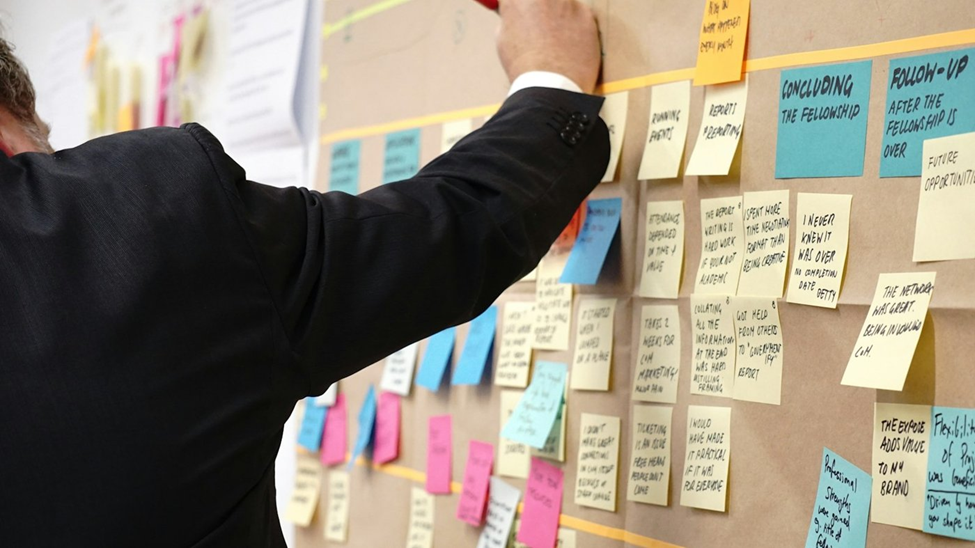
A readability checker and a shared document folder turn a subjective comparison into a measurable one.
Pricing and plans
Both companies price their standard individual plan at 20 dollars per month, so cost rarely decides the question at that tier. The differences appear below and above it. Prices are in US dollars as of September 2026 and change often, so confirm on the official pages before you subscribe.
| Plan level | ChatGPT | Claude |
|---|---|---|
| Free | 0 dollars. GPT-5.6 Luna, unlimited text chats, ads possible in some regions. | 0 dollars. Daily usage limits, up to five Projects, no ads. |
| Budget tier | Go, 8 dollars per month. Higher limits than Free, same Luna model in standard chat. | No budget tier. Pro is the first paid plan. |
| Standard individual | Plus, 20 dollars per month. Unlocks GPT-5.6 Sol, Canvas, Deep Research, and higher limits. | Pro, 20 dollars per month, or about 17 per month billed annually. Unlocks all current models, Research, and Cowork. |
| Power user | Pro, 100 or 200 dollars per month depending on usage tier. Adds Sol Pro and far higher limits. | Max, 100 or 200 dollars per month for 5x or 20x Pro usage. |
| Teams | Business, about 20 dollars per seat billed annually or 25 monthly, two-seat minimum. | Team, about 20 dollars per seat billed annually or 25 monthly, with a Premium seat option. |
| Enterprise | Custom pricing with admin controls, data residency, and compliance features. | Custom pricing with single sign-on, audit logs, and configurable retention. |
Current details are on the ChatGPT pricing page and the Claude pricing page.
One practical note for writers: the 20-dollar plans on both sides cover a full working day of drafting and revising for most people. Upgrade only after usage limits interrupt your work more than once a week.
The verdict: which one should you pick
The right choice depends on what you write most and how you like to edit. Use the lists below as a starting point, then confirm with your own test.
Choose ChatGPT if
| Choose Claude if
|
Use both ifYou run a content operation with mixed formats. The case study above is the common outcome: one tool for long-form drafting and revision, the other for high-volume short content and anything visual. At 40 dollars a month combined, the split costs less than an hour of an editor's time. |
Discussion 0
More posts

ChatGPT vs Claude for writing: which one writes better like you?
The two most popular AI writing assistants, compared on what writers actually feel: how the prose sounds, how well each...

Why AI Is Changing the Editing Process More Than the Writing Process
AI can fill a blank page in seconds. It cannot tell you whether the page is true, useful, or yours. That job is editing,...
Can AI Detectors Be Trusted?
What these tools actually measure, where they break, and how much weight their verdicts really deserve.
Please log in or create an account to join the discussion.