

A content audit is how you find out what your website is really made of. This guide explains the method in plain English, from the first spreadsheet to the five verdicts every page should receive.
| Definition | A structured review of existing content that ends in a decision for every page. |
| Primary output | One verdict per URL: keep, refresh, consolidate, redirect, or retire. |
| Typical cadence | Yearly for small sites. Rolling monthly samples for large libraries. |
| Who owns it | Usually content, SEO, or marketing operations. One person must hold the pen. |
What a content audit actually is
A content audit is a systematic review of the content you already own. You list every asset, measure how each one performs against a clear goal, and then decide its future: keep it, improve it, merge it, redirect it, or remove it.
The key word is decide. Collecting data is only preparation. An audit is finished when every URL has a verdict and an owner, not when the spreadsheet is full.
Think of it as a stocktake for your website. A shop counts inventory to learn what sells, what has expired, and what is missing from the shelves. An audit does the same for pages, posts, PDFs, and videos.

Audit, inventory, analysis: three words people mix up
These terms get swapped constantly, and the confusion causes real problems. Many teams stop at an inventory and sincerely believe they have audited.
Three related activities, one real difference
| Term | What it is | What you end up with |
|---|---|---|
| Content inventory | A complete list of your content assets with basic details for each one | A spreadsheet of URLs, titles, formats, and dates |
| Content analysis | Measurement of how those assets perform against chosen metrics | Scores, charts, and findings about performance |
| Content audit | Inventory plus analysis plus a judgment call on every single item | An action plan with a verdict and an owner per page |
Put simply: an inventory tells you what exists, an analysis tells you how it performs, and only an audit tells you what to do next.
Content decay: the reason audits exist
Content decays. A page that performed well two years ago slowly loses traffic as its facts age, competitors publish fresher work, links break, and what searchers want from the query shifts. Nothing dramatic happens on any single day, which is exactly why decay goes unnoticed.
Decay also compounds. Outdated pages contradict newer ones, which confuses readers and search engines alike. Thin or duplicate pages spread your authority across near-identical URLs instead of concentrating it in one strong answer. Practitioners sometimes shorthand the targets as ROT: content that is redundant, outdated, or trivial.

Every library eventually needs a stocktake
There is a quieter cost too. Every obsolete page is something a customer, a journalist, or an AI assistant can find and treat as your current position. An audit is how you take back editorial control over what represents you.
The six types of content audit
Most guides treat a content audit as one thing. In practice it is a family of reviews, and the type you choose determines the data you need.
Pick your lens before you open a spreadsheet
| Audit type | The core question it answers | Data you lean on |
|---|---|---|
| Search performance | Which pages earn visibility and which quietly drag the site down | Impressions, clicks, rankings, and backlinks |
| User experience | Does each page guide people to a useful next step | Engaged time, scroll depth, conversions, and journey paths |
| Brand and messaging | Does everything sound like one company and stay accurate | Tone, terminology, claims, offers, and naming |
| Accessibility | Can everyone perceive, navigate, and use the content | Alt text, heading order, contrast, and captions |
| Legal and compliance | Are prices, claims, and policies current and lawful | Dates, disclaimers, and regulated statements |
| Localization | Do translated versions match the source and fit the market | Locale coverage, consistency, and cultural review |
Real audits usually blend two or three of these lenses. Naming them up front keeps the project honest about what it can and cannot conclude.
When to run one
Some audits are scheduled and some are triggered. Both matter, and the triggered kind is the one teams most often miss.
- A site migration, redesign, or domain change is planned
- A rebrand or a major shift in positioning is underway
- Traffic drops after a search algorithm update
- Two websites are merging after an acquisition
- Legal, pricing, or policy information has changed
- You are about to fund a new content program and need to know what already exists
That last trigger is the most overlooked. Auditing before you create prevents you from paying twice for the same idea, and it often reveals that half the new plan already exists in draft form.
What an audit costs
An honest audit has a price, and knowing it up front protects the project. The currency is reviewer hours, and the exchange rate depends on depth.
Budget two to three minutes per URL for triage, where you confirm the data and assign an obvious verdict. Budget fifteen to twenty minutes for a deep review of any page that needs real editorial judgment.

Reviewer hours are the real budget line ·
The math keeps everyone realistic. Five hundred URLs at triage pace is roughly twenty hours, and if a third of them need deep review you should plan another fifty. This is exactly why sampling,
What to measure
A useful audit measures a few things that map to its goal, not everything that can be exported. Search data lives in Google Search Console, which shows the queries, impressions, and clicks every page earns.
Behavior belongs to your analytics platform. Google Analytics covers engaged time, conversions, and the paths readers take next, which is the difference between a page that attracts and a page that persuades.
Six dimensions worth a column in the sheet
| Dimension | Example signals | Where it usually lives |
|---|---|---|
| Search performance | Impressions, clicks, average position, top queries | Search console exports |
| Reader behavior | Engaged time, scroll depth, conversions, next pages | Analytics reports |
| Editorial quality | Accuracy, depth, originality, date of last review | Manual review against a written standard |
| Technical health | Status codes, indexability, duplicates, load speed | Crawler output and speed reports |
| Accessibility | Alt text, heading structure, contrast, captions | Accessibility checks and spot reviews |
| Business fit | Funnel stage, audience, product mapping, sales usage | Strategy docs and team interviews |
For editorial quality, score against a short written standard instead of personal taste, and keep the rubric to a handful of criteria that two reviewers would apply the same way.
Speed and stability deserve one honest benchmark. PageSpeed Insights is free, defensible, and specific about what to fix.
The starter sheet: exact columns to create
Most guides say build a spreadsheet and stop there. Here is the actual sheet: the columns that earn their place, and nothing else.
Ten columns, one source of truth
| Column | What goes in it | Why it earns its place |
|---|---|---|
| URL | The full address, one row per asset | It is the unique key everything else attaches to |
| Title and format | Page title plus type, such as article, PDF, video, or tool | Verdicts often differ by format |
| Topic cluster | The subject group the page belongs to | Consolidation decisions happen at cluster level, not page level |
| Funnel stage | Awareness, consideration, decision, or retention | Reveals gaps and stops traffic-only judgments |
| Owner | The person answerable for the page | Unowned pages decay fastest |
| Dates | First published and last meaningfully updated | Freshness cannot be judged without them |
| Twelve-month data | Clicks, impressions, engaged time, conversions | The evidence layer for scoring |
| Flags | Technical, accessibility, or compliance problems found | Turns scattered findings into filterable facts |
| Verdict | Keep, refresh, consolidate, redirect, or retire | The point of the whole exercise |
| Note and next date | One line of reasoning plus a review date | Decision memory for the next audit |
Ten columns is the ceiling, not the floor. Anything you add beyond these should change a decision, or it is decoration.
The process in seven steps
01 - Set one primary goal
Recover decayed organic traffic. Prepare the library for a migration. Cut legal risk before a product launch. Those are goals, while improve our content is not, because a real goal decides your metrics, your sample, and your definition of done.
02 - Define scope and a sample
Small sites can audit everything. Large sites should audit every template, the top and bottom performers in each section, and a random slice of the middle. A fair sample beats an exhausted team, and it produces findings you can extend to the rest of the library.
03 - Build the inventory
Export URLs from your sitemap and CMS, then record title, format, topic, author, publish date, and last update for each. This sheet becomes the single source of truth for the whole project.
04 - Layer in performance data
Add twelve months of search and behavior metrics next to each URL. Flag technical problems such as broken links, redirect chains, and pages that search engines cannot index.
05 - Score each page against the goal
A simple 1 to 5 scale on two or three criteria is enough. Elaborate forty-column scorecards look rigorous and mostly guarantee the audit never finishes.
06 - Give every URL a verdict
Keep, refresh, consolidate, redirect, or retire. If you cannot decide, the page defaults to refresh with a review date, never to limbo.
07 - Sequence the work
Group verdicts into batches by effort and impact, then assign an owner and a date to each batch. Record baseline numbers now, because you will want to prove later what the audit achieved.
The five verdicts
Every page in the audit ends up carrying exactly one of five stamps. This is the decision framework that separates an audit from a very long spreadsheet.
One verdict per URL, no exceptions
| Verdict | It applies when | The action |
|---|---|---|
| Keep | The page is accurate, performing, and aligned with strategy | Leave it alone and recheck it next cycle |
| Refresh | The topic is right but the execution is weak or the facts have aged | Update data, deepen thin sections, match current intent, republish with a new date |
| Consolidate | Several pages compete for the same topic and split its authority | Merge them into one definitive page and point the old URLs at it |
| Redirect | The page is no longer needed but still earns links or visits | Send a permanent redirect to the closest relevant page, not the homepage |
| Retire | The page has no value, no meaningful backlinks, and no legal reason to exist | Remove it, serve a clear gone or not found status, and clean up internal links |
Handle with care Two verdicts deserve extra caution. Redirects must point to genuinely related pages, because mass redirects to the homepage tend to be treated as soft errors and pass little value. And retiring content is not failure: a smaller library that is accurate and current outperforms a large one that is neither. |
The verdicts in action
Abstract frameworks click faster with rows in front of you. Here is what five typical pages look like once the stamps come down.
A worked sample from a typical audit sheet
| Page | Twelve-month signal | Verdict | The reasoning in one line |
|---|---|---|---|
| Ultimate guide to onboarding | Steady clicks and strong conversions | Keep | Accurate, performing, and central to strategy |
| 2023 industry statistics roundup | Impressions holding, clicks fading | Refresh | Right topic and stale numbers, so republish with current data |
| Three overlapping posts on pricing | Each ranks poorly for the same query | Consolidate | Merge into one definitive page and point the others at it |
| Retired product feature page | No searches, a few old backlinks | Redirect | Send visitors and link value to the closest live page |
| 2019 event recap | No traffic, no links, no obligation | Retire | Remove it and clean up the internal links |
Safety rails: how not to break things
Verdicts change a live website, and live websites can be broken. A few precautions make the difference between a cleanup and an incident.
- Snapshot first: export the pages you plan to change and archive copies with the Wayback Machine, so nothing is lost forever
- Map every redirect in the sheet before deploying any, and check for chains where one redirect points to another
- Roll out in batches, starting with the lowest-risk verdicts, instead of shipping hundreds of changes in one afternoon
- Watch rankings and error reports for thirty days after each batch, and keep a rollback plan you have actually tested
- Never fake freshness: only change the visible update date when the substance genuinely changed
Consolidations deserve the most care, because merging pages moves hard-won authority. Google's short documentation on redirects and search is worth ten minutes before your first batch.
Auditing for AI search
Search results increasingly include AI-generated answers, and assistants now summarize brands whether or not the brand participates. That changes what a modern audit checks, and it is the part most older guides never mention.
Add three questions to your review. Does each page state its core answer clearly near the top, where both people and machines can extract it. Do your pages agree with each other on facts, names, and numbers, because contradictions across a site undermine trust in every summary of it.
The third question is the hardest: does the content show real experience, original data, or a first-hand perspective that generic pages cannot copy. None of this replaces the fundamentals. Clear structure, honest sourcing, visible authorship, and accurate dates serve human readers first, which is exactly what Google's helpful content guidance has asked for all along.
The content nobody counts
Audits usually stop at blog posts and landing pages. Meanwhile PDFs, help articles, webinar pages, email templates, and old campaign microsites keep circulating with outdated prices and retired product names. Add every indexable or shareable asset to the inventory, even if you only sample it.
Internal links and orphan pages
A verdict changes the pages around it. Deleting or merging a URL breaks the internal links that pointed there, and orphan pages with no internal links at all rarely get discovered by anyone. Map your links before you act, so authority flows toward the pages you decided to keep.
Keyword overlap and cannibalization
When several of your pages chase the same query, they take turns ranking and none of them builds momentum. Filter your search data by query and watch for URLs swapping positions from week to week. That pattern is the strongest evidence that a consolidate verdict will pay off.
Accessibility
Missing alt text, broken heading order, low contrast, and uncaptioned video quietly exclude readers, and in many regions they create legal exposure as well. Fold basic checks against the Web Content Accessibility Guidelines into the review instead of treating accessibility as a separate project for later.
Compliance and claims
Prices, guarantees, statistics, and legal pages age faster than any other content. Give regulated claims their own column in the audit sheet and a shorter review cycle than everything else.
Spreadsheets do not resist change. People do, and most audit guides pretend otherwise.

Verdicts land better when the room helped write them ·
Interview before you judge. Sales and support teams know which pages close deals and deflect tickets, and that knowledge never shows up in analytics. Ten minutes with each team saves you from retiring a quiet page that a top performer sends to every prospect.
Handle authors with respect. A retired page can feel like a retired person, so share the data, explain the verdict, and where possible give strong old material a second life inside a refreshed page.
Finally, write down why. A one-line reason per verdict, kept in the sheet, is decision memory. The next auditor inherits your reasoning instead of repeating your debates.
After the Audit
From verdicts to a roadmap
Start with refreshes of pages that already earn impressions but few clicks, because updated substance and sharper titles convert existing visibility into traffic within weeks. Schedule each consolidation as a small project of its own, since it involves merging copy, setting redirects, and updating internal links. Save retirements for planned maintenance windows and log every change with its date.
The gap analysis: what the audit says is missing
An audit maps what exists, which quietly reveals what does not. Cross your topic clusters against funnel stages, and the empty cells become a commissioning list backed by evidence rather than hunches.
This is how pruning funds growth. The authority you consolidate and the hours you stop spending on decayed pages get reinvested into gaps with proven demand.
Governance, or how to never need a giant audit again
The best outcome of an audit is a system that makes the next one small. Give every page an owner and a next-review date, publish short standards for tone and formatting, and review a rolling slice of the library each month, for example ten percent of it. Rolling audits turn an annual cleanup into a quiet habit.
Proving it worked
Judge only the pages you touched. Compare their clicks, rankings, and conversions for the ninety days before and after each change, and annotate change dates in your analytics so wins can be attributed. Whole-site numbers move for many reasons, so tie the audit's story strictly to the audited set.
Mistakes that sink audits
- Collecting data for weeks without a decision framework to pour it into
- Judging pages by traffic alone when some exist to close deals or deflect support tickets
- Redirecting every removed page to the homepage
- Forgetting to record what changed and when, which makes results impossible to attribute
- Treating the audit as a one-time event instead of a cycle
How often is often enough
A practical rhythm: small sites audit fully once a year and after any trigger event. Large libraries review a rolling sample every month. Regulated content follows the compliance calendar, whatever the rest of the site does.
Discussion 0
More posts

How to Find and Fix Keyword Cannibalization
Keyword cannibalization is what happens when two or more of your own pages chase the same search query. Instead of compe...
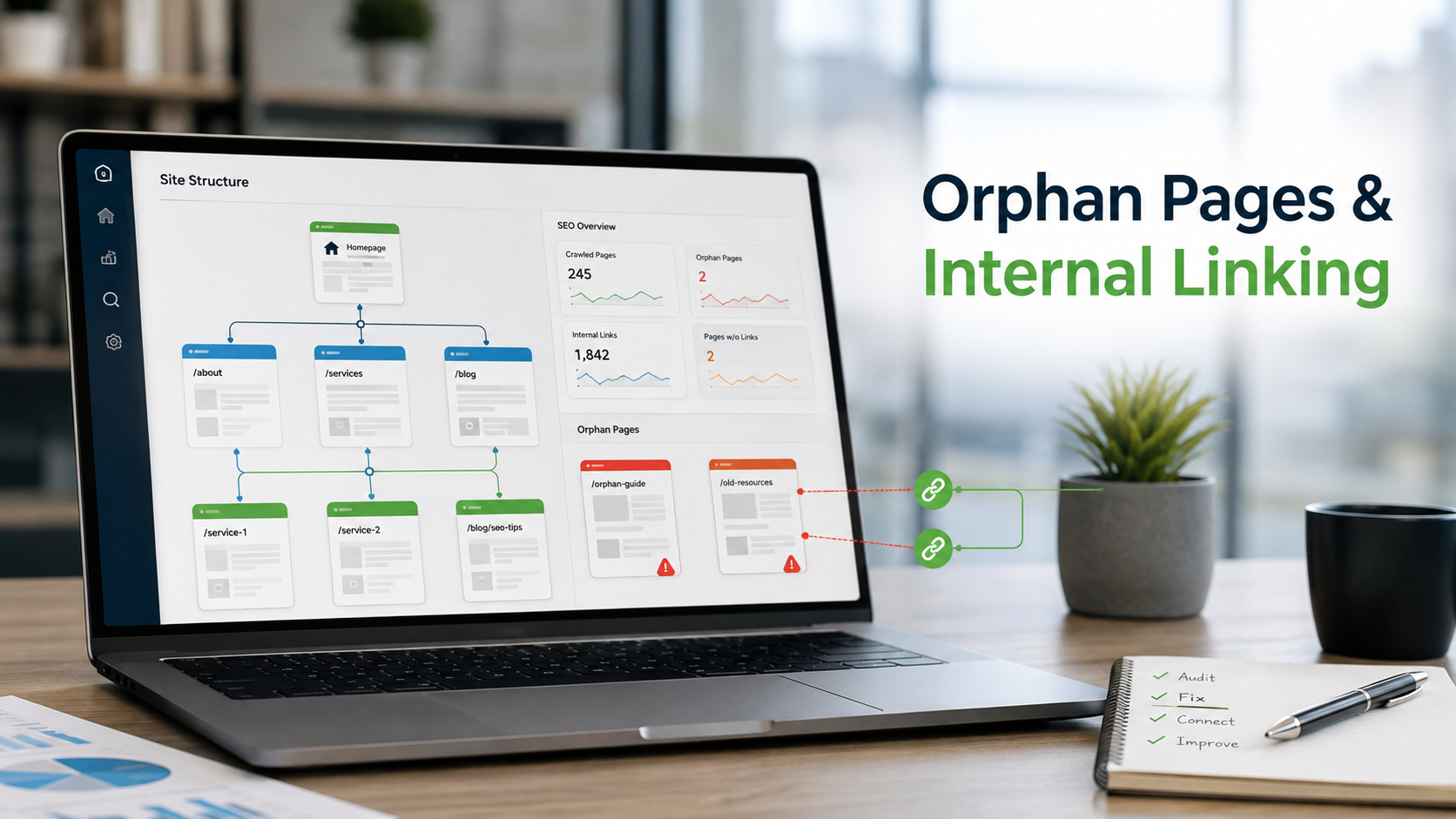
How to Find Orphan Pages and Fix Your Internal Linking
Every page on your site should be reachable through at least one link. When it is not, search engines struggle to find i...

Content Consolidation: When to Merge Competing Articles
When two or three of your own pages chase the same topic, they compete with each other instead of the rest of the web. H...
Please log in or create an account to join the discussion.