Grammarly’s AI suite on the free plan: what you get and what’s locked

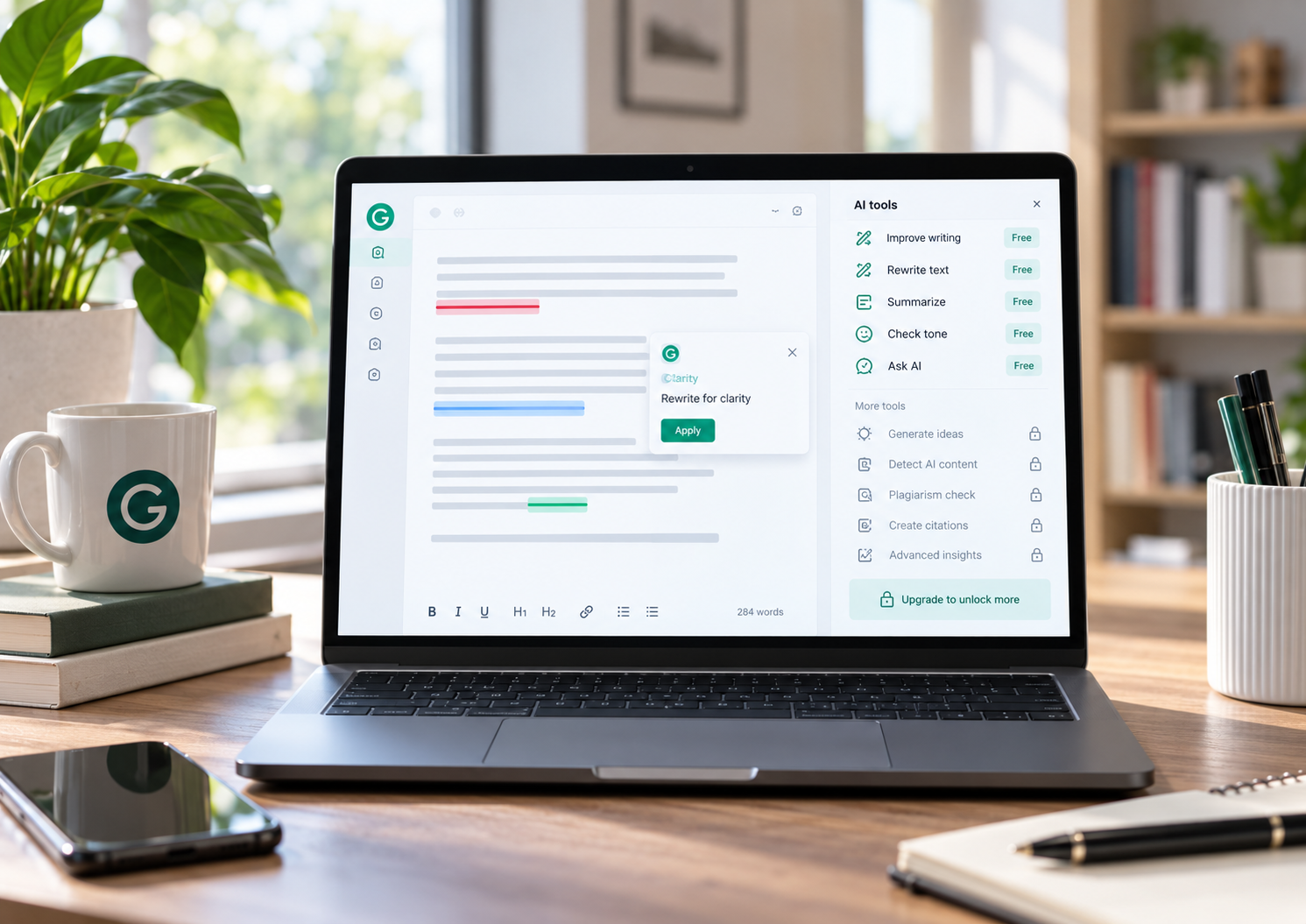
Twelve tools sit inside the new editor. Here is the walkthrough, what each one does, and the exact point where Grammarly asks for money.
WHAT WORKS FOR FREE Real-time proofreading, document upload, and a limited pool of AI prompts. That covers most everyday writing. | WHAT IS LOCKED The AI Detector, the humanizer, and most rewrite suggestions sit behind Pro, which appears as Plus in some regions. |
What Grammarly AI is in 2026
Grammarly began life as a grammar checker. Today it is a full AI writing assistant built around an agent based editor, with a panel of tools that reach well past spelling.
The core proofreading is still free. A paid tier called Pro unlocks the generative features. In several countries the same paid plan shows up at checkout as Plus, which is why every upgrade button here reads Get Plus.
One piece of trivia worth knowing. The parent company renamed itself Superhuman in late 2025, yet the writing product is still called Grammarly. For the fuller backstory, the Grammarly entry on Wikipedia cover it.
How I approached it
I ran everything on the free plan in the web app. I opened the dashboard, uploaded a Word document of about 2,972 words, opened the editor, then clicked through each tool to see what runs without paying.
Every screenshot below comes from that one session, so the flow you read is the flow I actually met.
Step 1: The dashboard
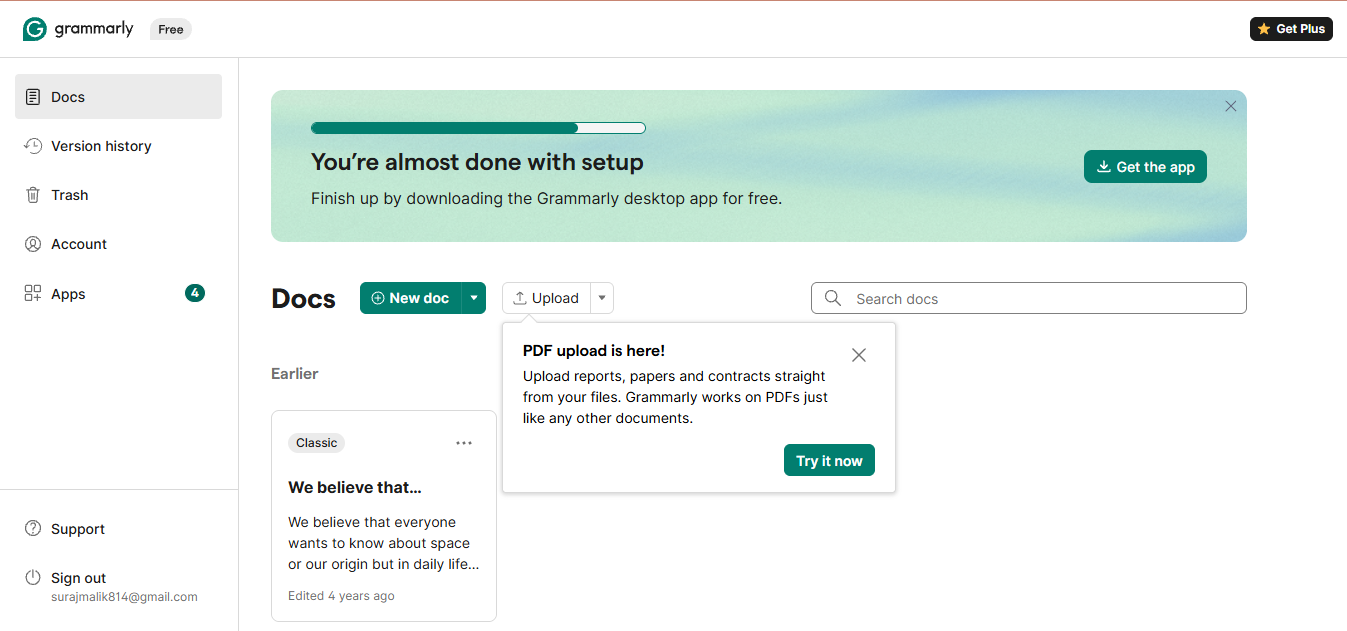
The starting point is the Docs dashboard. A Free badge sits beside the logo, and the left rail carries Docs, Version history, Trash, Account, and Apps.
A green banner already nudges you to install the desktop app. A second popup promotes PDF upload. The empty dashboard is calm, but it is quietly selling you the next step.
Step 2: Uploading a document
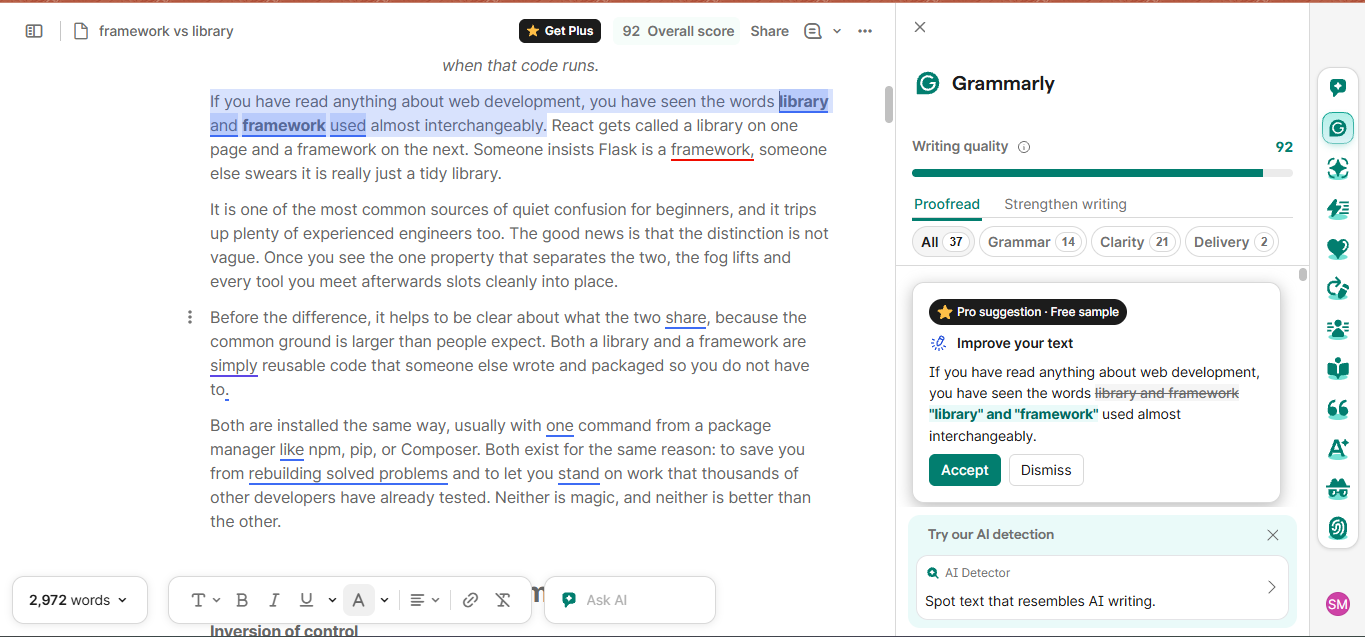
I clicked Upload and dropped in the Word file. The editor opened with the text on the left and the Grammarly panel on the right.
The panel gives an overall score, here 92, and sorts suggestions into Grammar, Clarity, and Delivery, each with a live count. Two tabs sit on top, Proofread and Strengthen writing.
Along the far right edge runs a vertical rail of icons. That rail is the tool collection, and it is where the AI features live. The very first suggestion is even labelled a free sample of a Pro rewrite, so you get a taste before the wall.
Step 3: The full tool panel
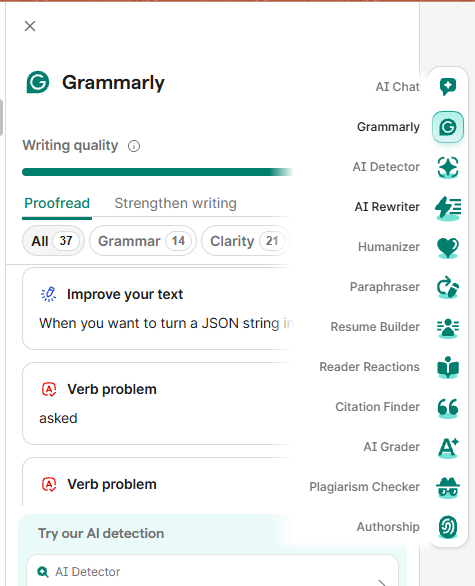
Hover the right rail and the whole collection unfolds with labels. There are twelve entries in all.
They are AI Chat, Grammarly, AI Detector, AI Rewriter, Humanizer, Paraphraser, Resume Builder, Reader Reactions, Citation Finder, AI Grader, Plagiarism Checker, and Authorship.
This is the agent toolbox that arrived with the 2025 redesign. Each icon opens a different assistant inside the same panel. Grammarly documents the full set on its AI agents page.
Step 4: Where the paywall starts
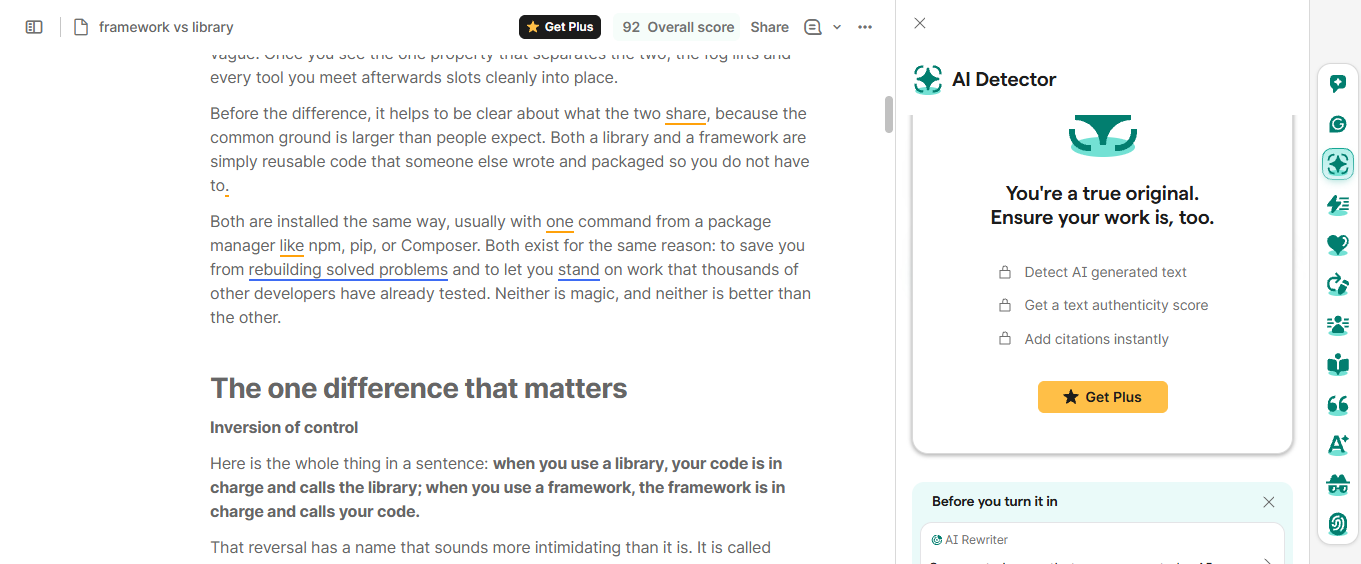
I opened the AI Detector first. Instead of a score, I got a locked screen headed “You’re a true original.”
It lists three things the tool would do, detect AI generated text, return a text authenticity score, and add citations, each with a small lock and a Get Plus button underneath.
The finding: on the free plan the AI Detector does not run at all. It only shows you what you would get by paying.
Step 5: The tools that only tease
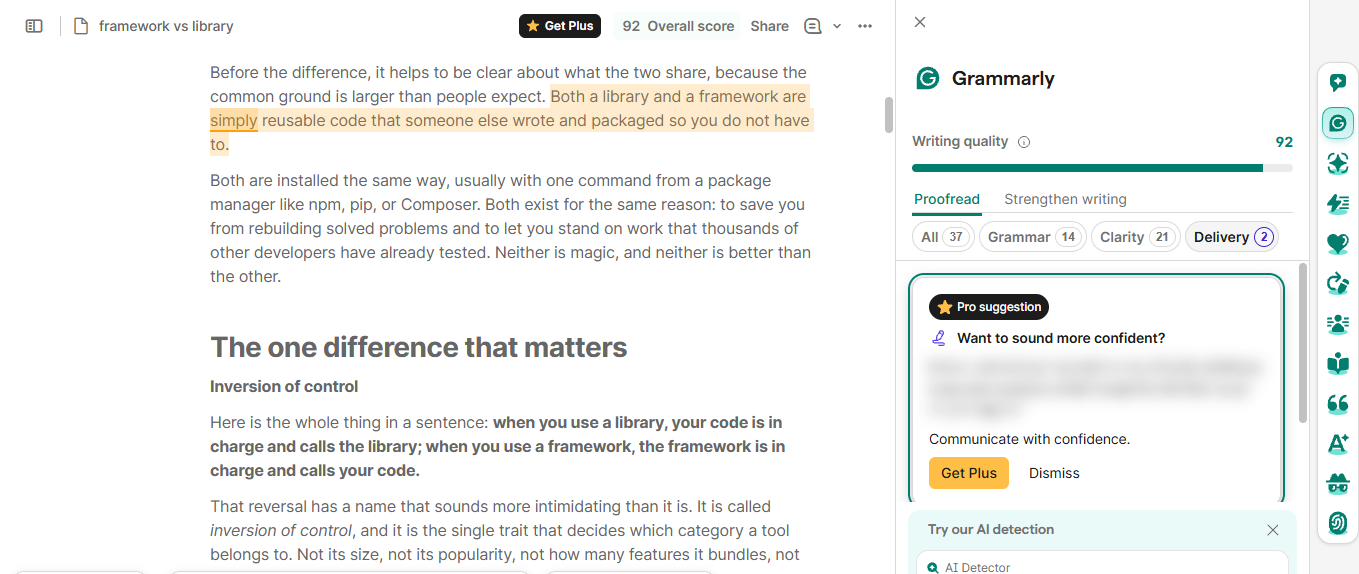
Next I checked the Delivery suggestions, the smallest group at two items. Opening one showed a Pro suggestion with the actual rewrite blurred out.
The headline stays readable, in this case a prompt to sound more confident, but the fix itself is hidden behind Get Plus.
This is the pattern across the paid tools. Free lets you see that a useful edit exists, then blurs the payoff. It is effective, and a little frustrating.
Every tool in the panel, explained
Here is a plain description of all twelve tools, with a note on how each behaves on the free plan.
| Tool | On free plan | What it does |
|---|---|---|
| AI Chat | Uses AI prompts | Ask questions, research a point, or draft text without leaving the document. It draws on your monthly prompt pool. |
| Grammarly | Free | The core assistant. Real-time fixes for grammar, spelling, clarity, tone, and word choice. This is the part that has always been free. |
| AI Detector | Pro | Scans your text and estimates how likely it reads as AI generated, returning an authenticity score. Fully locked here. |
| AI Rewriter | Pro | Spots words and phrases that AI tends to overuse and offers less predictable alternatives, so edited text feels less machine written. |
| Humanizer | Pro | Rewrites AI generated passages to sound natural, stripping robotic phrasing while trying to keep your own voice intact. |
| Paraphraser | Uses AI prompts | Rephrases a passage across a range of tones while holding the original meaning. Handy for shifting register in a hurry. |
| Resume Builder | Uses AI prompts | Helps draft and tidy a resume with structured, role-aware suggestions. Light help is free, deeper polish leans on Pro. |
| Reader Reactions | Uses AI prompts | Predicts how a chosen audience, such as a manager or professor, is likely to read your draft, flagging takeaways and open questions. |
| Citation Finder | Uses AI prompts | Finds public sources that support or contradict your claims and generates formatted citations in APA, MLA, and Chicago. |
| AI Grader | Uses AI prompts | Predicts the grade a piece might earn against a rubric or instructor guidance, then suggests fixes. Built mainly for students. |
| Plagiarism Checker | Pro | Compares your text against academic, web, and professional sources to check originality and flag close matches. |
| Authorship | Free | Records how a document came together, marking what was typed, edited, or AI generated, so you can show your process. Availability can depend on your school or account. |
Tools marked “Uses AI prompts” run against the free allowance of 100 prompts a month. They work, but heavy or repeat use pushes you toward Pro, which raises the ceiling to 2,000 prompts per member.
Free vs Pro: what is actually locked
The split below is drawn from this walkthrough plus Grammarly’s published plan details. It is the clearest way to see where the free line sits.
| Feature | Free | Pro |
|---|---|---|
| Price | $0 | $12 per month billed yearly, or $30 month to month |
| Grammar, spelling, punctuation | Yes | Yes |
| Clarity and conciseness | Yes | Yes |
| Tone detection | Basic | Full |
| AI prompts per month | 100 | 2,000 per member |
| Full sentence and paragraph rewrites | No | Yes |
| Delivery and confidence rewrites | Preview only, blurred | Yes |
| Humanizer | No | Yes |
| AI Detector and authenticity score | No | Yes |
| Plagiarism checker | No | Yes |
| Citation finder | Limited by prompt pool | Yes |
| AI Grader grade prediction | Limited by prompt pool | Yes |
| Style guide and brand tone | No | One of each |
| Team seats and analytics | No | Up to 149 members |
| Support | Help center | Priority help center |
Pricing and limits change, so confirm on Grammarly’s plans page before you buy.
What real users think
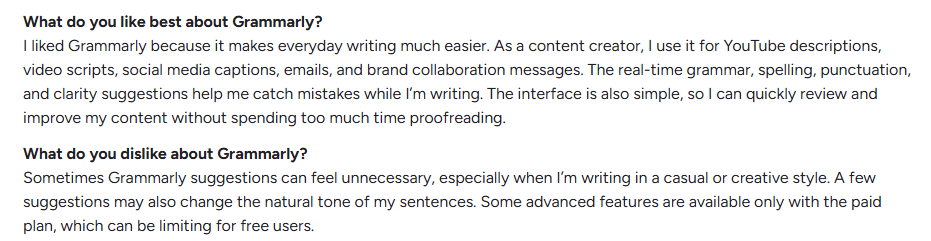
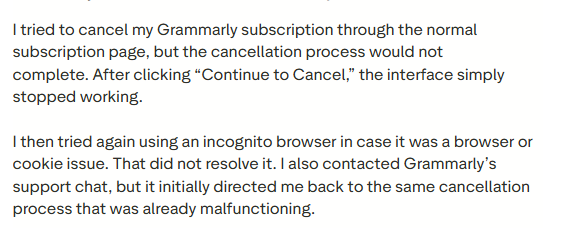
Feedback is broadly warm for the writing itself, and cooler on billing and support. The figures below were captured in early 2026 and move over time.
| Platform | Rating | What stands out |
|---|---|---|
| G2 | 4.7 / 5 | Real-time checks and daily usefulness draw the most praise |
| Capterra | 4.7 / 5 | Clear gains in professionalism, with the odd complaint about over-correction |
| Trustpilot | 3.5 / 5 | Grammar help is liked, but billing and slow support pull the score down |
| Apple App Store | 4.6 / 5 | Many describe it as an essential everyday writing tool |
Alternatives worth a look
Grammarly is the default, not the only option. If the paywall stings, a few tools cover specific jobs at a lower price. Pricing is approximate and shifts, so check each vendor before buying.
| Tool | Best for | Starts at | Free tier |
|---|---|---|---|
| ProWritingAid | Long-form and fiction, with deep style and pacing reports | From about $10 a month yearly, lifetime option | Yes, with a cap |
| LanguageTool | Multilingual writing across 30 plus languages, privacy friendly | From about $4.99 a month on a multi-year plan | Yes |
| QuillBot | Paraphrasing, summarizing, and tight student budgets | From about $8.33 a month yearly | Yes, generous |
| Wordtune | AI sentence rewriting and quick tone control | From about $6.99 a month | Yes, limited |
| Hemingway Editor | Plain, readable, concise prose and readability scoring | Free web version, paid plans for extras | Yes |
The short rule: pick LanguageTool for other languages, ProWritingAid for long-form craft, QuillBot for rewriting on a budget, Wordtune for expression, and Hemingway for cutting the fat.
Verdict: is the free plan enough
The free plan is far more than a demo. If you mostly want clean grammar, clearer sentences, and the occasional rewrite, it has you covered, and the pool of 100 prompts stretches further than you would expect.
The wall arrives the moment you want the AI heavy tools. The detector, the humanizer, plagiarism, and the confident rewrites are all Pro, and the blurred previews make that impossible to ignore.
For students and daily writers who lean on rewrites and checks, Pro at $12 a month on the yearly plan is the honest ask. For everyone else, free is a real tool rather than bait. Just know that the best suggestions are usually the ones you cannot quite read yet.
Discussion 0
More posts

NovelAI: An Hour of Notes Before I Wrote a Single Word
A hands-on NovelAI review: the broken sign-up, the encryption catch, real pricing, the models, real user reviews, and wh...

StealthWriter AI : Hands-On Test of the Humanizer and AI Detector
I put StealthWriter AI through a real test: a Wikipedia paragraph that its detector scored 0% human was rewritten to 100...

Originality.ai: I Tested It and It Flagged Wikipedia as 100% AI
I pasted a plain Wikipedia paragraph into Originality.ai and it came back "Likely AI – 100% Confidence." Two scans later...
Please log in or create an account to join the discussion.